
New vs. Refurbished Diagnostic Computers: What Shops and Fleets Should Know in 2026
A refurbished diagnostic computer may cost less upfront, but purchase price does not tell the full story.
In 2026, modern diagnostic work depends on software compatibility, processing speed, security, connectivity, and reliable hardware. A computer that lacks sufficient memory and processing capabilities can connect to a vehicle but slows down the diagnostic and repair times through delayed connection times, slowed bi-directional testing interaction between the computer and the vehicle data network, and slower navigation between screens, functions or applications.
Often overlooked during vehicle module programming is the computer itself. Modern OEM diagnostic and programming applications routinely download large calibration files, communicate continuously with vehicle control modules, verify data integrity, and manage multiple background processes simultaneously. An outdated or underspecified computer—whether limited by memory, processor performance, storage speed, or overall system stability—may struggle to keep pace with these demands. While a slow computer alone does not damage an Electronic Control Unit (ECU), an unstable system increases the likelihood of software freezes, communication interruptions, or operating system crashes during a critical programming event.
The consequences of an interrupted reflash can be significant. During an ECU update, existing firmware is often erased before the new calibration is fully written. If the programming process is interrupted because the computer locks up, exhausts available system resources, or otherwise becomes unstable, the control module may be left with incomplete software. Depending on the vehicle manufacturer and the module being programmed, recovery may require specialized bootloader procedures, bench programming, dealer intervention, or complete ECU replacement. For this reason, professional technicians and fleet maintenance organizations should view a properly specified, reliable computer as a critical piece of programming equipment rather than simply another laptop. Investing in modern hardware with sufficient memory, a fast solid-state drive, and a stable operating environment significantly reduces programming risks, minimizes costly downtime, and helps ensure successful software updates across today’s increasingly sophisticated vehicle platforms.
Before comparing new and refurbished diagnostic computers, shops and fleets should evaluate performance, condition, warranty and support, total operating cost, and expected service life.
Key Takeaways
- Refurbished hardware may reduce the initial cost, but its condition and remaining lifecycle can vary.
- Minimum software requirements may not provide the performance needed for daily diagnostic work.
- Slow or unreliable hardware can affect technician productivity and vehicle throughput.
- New hardware typically provides a known component history, current warranty options, and a more predictable lifecycle.
- The right setup depends on the software, vehicles, interfaces, adapters, cables, and support required.
New versus Refurbished?
The diagnostic laptop is the most important tool in today’s repair shop. It supports complete vehicle health assessments during intake and helps technicians complete repairs, with more than 50% of modern repairs requiring diagnostic software. For shops and fleets that depend on diagnostics, programming, and calibrations every day, investing in new hardware delivers the reliability, performance, and long-term value they need.
A refurbished computer can still make sense for a limited role when its specifications, service history, battery condition, warranty, software compatibility, and remaining service life have been verified.
The decision should account for technician time, future compatibility, repair support, and expected service life. A lower initial price can create a higher total cost if the computer slows production or must be replaced sooner.
Why Diagnostic Computer Requirements Have Changed
Modern automotive diagnostic systems handle far more than basic code reading. Technicians may use one computer for full-vehicle scans, live data, bi-directional testing, module programming, ADAS calibration, service information, reports, cloud applications, and remote support.
These processes require adequate processing power, memory, storage, connectivity, and security. Minimum specifications may allow software to open without delivering productive all-day performance.
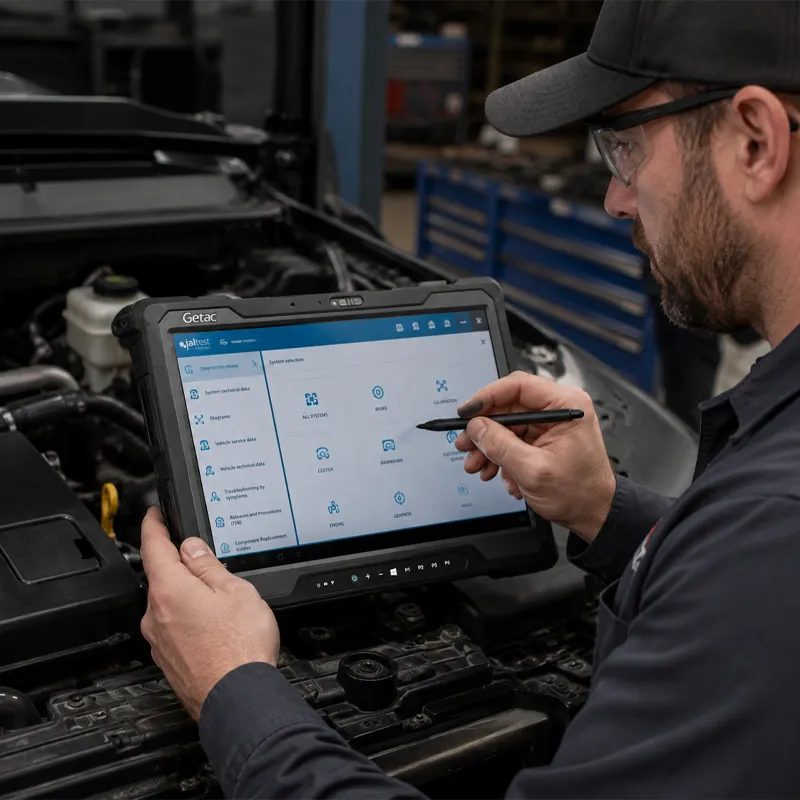
The computer is also only one part of the platform. Software, vehicle communication interfaces, cables, adapters, drivers, firmware, and support must work together.
Windows Support Is Part of the Buying Decision
Microsoft ended standard support for Windows 10 on October 14, 2025. A Windows 10 computer may continue to operate, but buyers should confirm its exact edition, support status, and compatibility with every required diagnostic application.
Windows 11 also requires capabilities that may be missing from older systems, including TPM 2.0, Secure Boot, and supported processors.
Before buying, confirm:
- Which Windows edition is installed
- Whether the computer officially supports Windows 11
- Whether TPM 2.0 and Secure Boot are available
- Whether BIOS and firmware updates remain available
- Whether required diagnostic applications support the operating system
A computer that cannot move to a supported operating system may have a shorter useful life, even if it works today.
Seven Factors to Compare Before Buying
1. Processor Generation
Two computers may both advertise an Intel Core i5 or Core i7 processor while using chips released years apart. Processor generation affects speed, security, operating system compatibility, and multitasking. Ask for the complete processor model, not only the family.
2. Installed Memory
RAM affects how efficiently the computer handles active applications. Confirm the installed RAM, whether it can be upgraded, and what each platform recommends. A system that only meets the minimum may leave little room for updates or multitasking.
3. Storage Type and Capacity
Storage affects startup time, software loading, updates, and report generation. Confirm that the computer uses solid-state storage and has enough capacity after all required software is installed. For refurbished units, ask whether the drive is new or previously used and health-tested.
4. Battery and Port Condition
Ask about battery age, runtime, replacement cost, and warranty coverage. Inspect USB, Ethernet, charging, and docking connections because worn ports can interrupt diagnostic procedures.
5. Security Hardware and System History
Review TPM 2.0, Secure Boot, BIOS support, Windows licensing, administrator access, and previous enterprise management locks. A used computer should be securely erased, properly licensed, and free from controls left by a previous organization.
6. Warranty and Repair Process
Compare who provides coverage, how long it lasts, what is included, and how repairs or replacements are handled. A short reseller replacement policy is not equivalent to a multi-year manufacturer-backed service plan.
7. Expected Service Life
A new computer begins with its full working life ahead of it. A refurbished computer has already used part of that life. Remaining service life depends on age, previous use, refurbishment quality, parts availability, evolving software requirements, and workload.
New vs. Refurbished Diagnostic Computer Comparison
| Buying Factor | New Computer | Refurbished |
|---|---|---|
| Purchase price | Higher initial investment | Lower initial investment |
| Component history | Known | May vary or be unknown |
| Battery condition | New | Must be verified |
| Processor generation | Current options available | Often older |
| Operating system compatibility | Easier to confirm | Depends on model age |
| Warranty | Manufacturer-backed options may be available | Seller-specific |
| Remaining lifecycle | Full lifecycle ahead | Partially used |
| Configuration | Can be matched to the application | Often limited to available inventory |
A refurbished system is not automatically a poor purchase. The risk comes from buying without enough information about its condition, compatibility, support, and remaining life.
When Can Refurbished Hardware Make Sense?
Refurbished hardware may fit when the consequences of failure are limited, such as backup scanning, training, temporary deployment, a low-use workstation, or a computer dedicated to an older application.
Risk increases when the computer supports daily production, module programming, ADAS procedures, high-volume scanning, field service, or other business-critical work. In those cases, reliability and lifecycle predictability may matter more than the initial discount.
The Cost of Slow or Unreliable Hardware
The total cost of a diagnostic computer includes more than the invoice. Potential costs include technician waiting time, troubleshooting, replacement batteries, emergency purchases, software reinstallation, reduced bay turnover, IT support, and a shorter replacement cycle.
A simple way to estimate lost labor is:
Minutes lost per day × working days per year ÷ 60 × loaded hourly labor value
A technician who loses 15 minutes each day to startup, loading, updates, scans, and connection retries loses 62.5 hours across 250 working days. That does not include delayed vehicle delivery, lost repair opportunities, or emergency replacement costs.

Diagnostic Computers Are Not Office Computers
Diagnostic computers may be exposed to vibration, dust, fluids, temperature changes, frequent cable connections, and constant movement between vehicles.
A consumer laptop may meet software specifications but still be poorly suited to shop or field use. Rugged and semi-rugged computers can provide greater durability, serviceability, port protection, and warranty coverage.
Why Some OEMs Are Implementing Lifecycle Management Programs for Hardware
Some OEMs are beginning to implement computer lifecycle programs, providing a useful example of how diagnostic hardware planning is changing.
Burgeoning OEM Lifecycle Management Programs pair current-generation ruggedized laptop hardware with Windows 11 Pro, modern security architecture, warranty protection, and a planned 36-month refresh cycle as OEM software and Microsoft Operating System requirements continue to evolve.
Shops, fleets, and service organizations should plan replacement before incompatibility, security limitations, or poor performance creates an emergency. A structured lifecycle can standardize configurations, protect productivity, improve budgeting, and reduce unplanned purchases.
Compare the Complete Diagnostic Setup
The computer should not be evaluated in isolation.
A complete automotive or commercial vehicle diagnostic system may include:
- Computer or tablet
- Diagnostic software
- Vehicle communication interface
- Multipin adapter
- Vehicle-specific cables
- Software licenses
- Setup, training, and support
A lower-priced package may include only the computer, while another includes a complete working configuration. Before comparing prices, confirm exactly what is included and whether the system is ready for the intended vehicles and applications.
Ten Questions to Ask Before Buying
- What is the exact model and manufacturing year?
- What is the complete processor model and generation?
- How much RAM is installed, and can it be upgraded?
- What type and capacity of storage are included?
- Does it officially support the required operating system?
- Are TPM 2.0 and Secure Boot supported?
- What is the battery health and replacement cost?
- What components were inspected or replaced?
- What warranty is included, and who provides support?
- Has it been tested with the diagnostic applications and interfaces you use?
A seller who cannot answer these questions may be selling basic computer functionality rather than diagnostic readiness.
Find the Right Diagnostic Setup with Triad
Choosing a diagnostic computer is about more than comparing hardware specifications. The system must support your software, vehicle applications, interfaces, adapters, cables, operating system requirements, shop environment, and expected workload.
Triad Diagnostic Solutions helps shops, fleets, dealerships, and OEM programs evaluate the complete setup and determine the right path forward. That may mean continuing to use existing equipment, upgrading specific components, or moving to a current-generation diagnostic configuration before performance or compatibility becomes a problem.
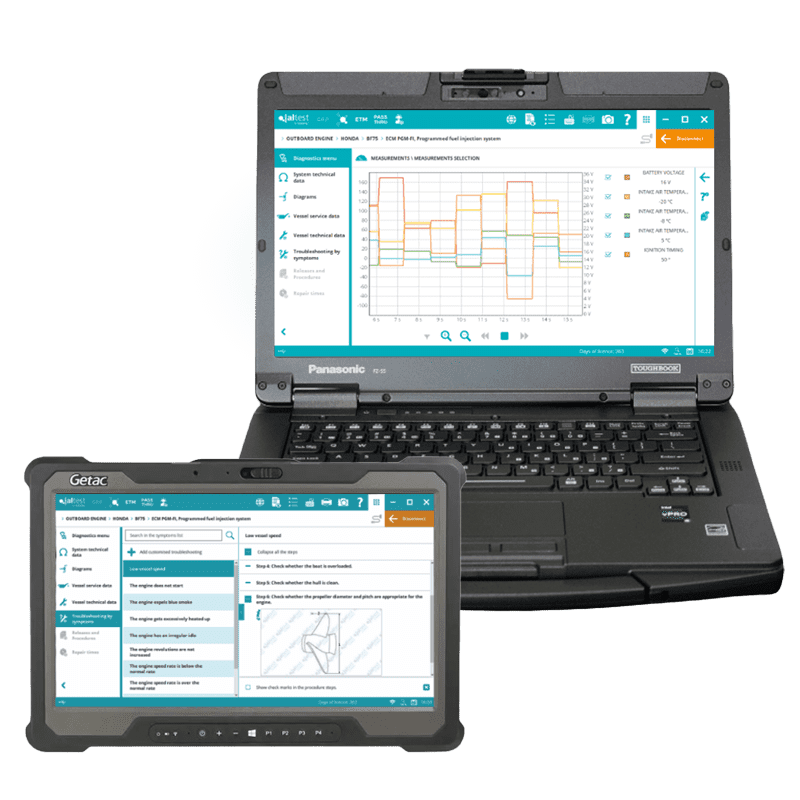
Is Your Diagnostic Hardware Ready for What Comes Next?
A computer that still turns on may not be ready for the next stage of your diagnostic operation.
Triad Diagnostic Solutions can review your hardware, software, vehicle applications, and configuration requirements to identify performance, compatibility, and lifecycle gaps.
Schedule a call with our expert to request a diagnostic hardware review