How to Choose an Automotive Diagnostic Scanner for Your Shop: OEM vs Aftermarket
The best automotive diagnostic scanner for a repair shop is the tool that fits the work your technicians actually perform. OEM scanners are strongest for brand-specific procedures, while aftermarket diagnostic scanners give shops broader coverage across domestic, Asian, European, gas, hybrid, and EV vehicles from one platform. Most independent shops need aftermarket coverage first, then OEM access for the exceptions.
A scanner decision should never start with the shiniest screen or the longest feature list. Start with the jobs slowing your shop down.
If your technicians are waiting on one lead tech, sending module work out, repeating scans, or checking three sources before they trust a code, the issue is bigger than the vehicle in the bay. The diagnostic setup behind the repair is slowing the shop down.
TL;DR: What Shops Need to Know Before Choosing a Scanner
A shop scanner should support the vehicles you see every week, the systems your technicians diagnose most often, and the services you want to keep in-house. OEM tools still matter for certain procedures, but most shops need a strong aftermarket scanner as the daily workhorse.
| Decision Area | What It Means for the Shop |
|---|---|
| OEM vs. aftermarket | OEM tools handle brand-specific needs; aftermarket tools cover more daily mixed-make work |
| Vehicle coverage | The scanner should match your domestic, Asian, European, hybrid, EV, and ADAS-related workload |
| Diagnostic depth | Look beyond code reading. Full-system scans, live data, bi-directional testing, and service functions matter |
| Technician adoption | A tool only helps if the team can use it under time pressure |
| Support and updates | Training, renewals, and backup help protect the investment after the sale |
For most independent shops, the strongest setup is an aftermarket diagnostic platform for daily work, with OEM access reserved for the procedures that truly require it.
This guide breaks down how to choose an automotive diagnostic scanner, when OEM tools make sense, when aftermarket scanners are the better daily driver, and how to build a setup that helps your team diagnose faster without turning your tool cabinet into a subscription museum.
What Is an Automotive Diagnostic Scanner?
An automotive diagnostic scanner is a tool technicians use to communicate with a vehicle’s electronic systems. It can read fault codes, clear codes, view live data, run health reports, perform service resets, activate components, support coding or configuration, and help verify repairs.
For modern shops, a basic code reader is not enough. Vehicles now depend on advanced electronic systems, networked modules, ADAS components, hybrid and EV systems, security access, and software-driven repairs. A professional automotive diagnostic system needs enough depth to help the technician move from “code found” to “fault confirmed.”
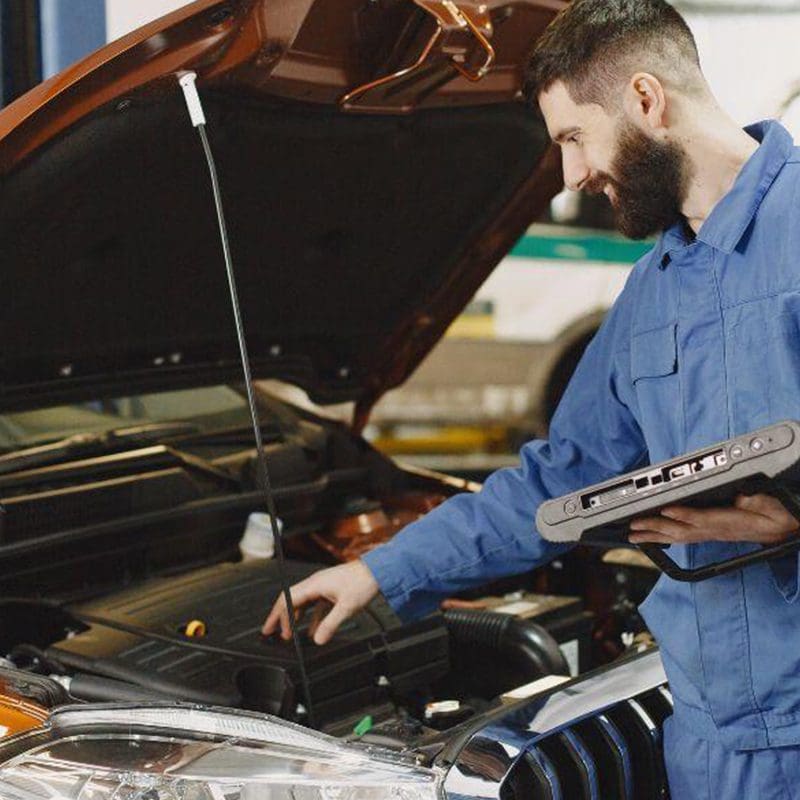
A proper auto diagnostic scan should help answer:
- Which systems are reporting faults?
- Which codes are active, stored, or pending?
- What live data supports the fault path?
- What tests can confirm the issue?
- What needs to be documented after the repair?
Triad’s automotive diagnostics offering centers on Autel platforms for modern repair shops, with support for gas, hybrid, and electric vehicles, domestic, Asian, and European manufacturers, full-system diagnostics, health reports, bi-directional testing, component activation, module coding, configuration, and service resets.
That is the level where scanners start protecting time, margin, and reputation.
OEM vs Aftermarket Diagnostic Scanners: What Is the Difference?
OEM diagnostic tools are manufacturer-specific. They are built around one vehicle brand or OEM ecosystem and can be necessary for certain programming, security, configuration, warranty, or service procedures.
Aftermarket diagnostic scanners are built for multi-brand coverage. A strong aftermarket scanner helps independent shops diagnose many makes and models from one platform.
OEM diagnostic tools
OEM tools make sense when a shop needs deep brand-specific access. They can be the right choice for specialty shops, dealer-level programming needs, or operations focused heavily on one manufacturer.
The tradeoff is complexity. Each OEM tool may bring its own software, interface, subscription, hardware requirements, training curve, login process, and update schedule. That can work for a specialty shop. It gets messy fast in a general repair environment.
Aftermarket diagnostic scanners
Aftermarket scanners are usually the better daily tool for independent shops because they cover a wider mix of vehicles. A shop that sees Ford in one bay, Toyota in the next, a European vehicle after lunch, and a hybrid right before close needs speed and range.
A capable aftermarket automotive diagnostic scanner can help with:
- Full-system scans and health reports
- Code reading and clearing
- Live data
- Bi-directional testing
- Component activation
- Service and maintenance resets
- Coding and configuration on supported vehicles
- ADAS identification and related workflows on supported platforms
For most shops, the aftermarket scanner is the tool that keeps the day moving. OEM tools can stay available for jobs that truly require them.
Quick Comparison: OEM vs Aftermarket Diagnostic Scanners
| Category | OEM Diagnostic Tool | Aftermarket Diagnostic Scanner |
|---|---|---|
| Best fit | Brand-specialty shops, dealer-level procedures, OEM-specific access | General repair shops, MSOs, mixed-make repair work |
| Coverage | Deep coverage for one manufacturer | Broad coverage across many makes and models |
| Workflow | Workflow | One familiar workflow across more vehicles |
| Training demand | Higher when multiple OEM tools are used | Easier to standardize across technicians |
| Cost structure | Multiple subscriptions can add up | One platform can cover more daily work |
| Best use | Programming, security access, specialty procedures | Intake scans, diagnostics, service resets, live data, bi-directional testing |
| Watch-out | Tool sprawl and renewal management | Confirm coverage by vehicle, system, and function before buying |
When an OEM Diagnostic Tool Makes Sense
OEM tools still have a place. A shop should consider OEM access when:
- A large portion of work is concentrated in one brand
- A repair requires manufacturer-specific programming
- Specialized immobilizer work requires OEM pathways
- Warranty or documentation rules require OEM procedures
- A specific module configuration is outside aftermarket coverage
The mistake is building the entire shop around OEM tools when the work is mixed. That can slow the team down and make every diagnostic job feel like a software scavenger hunt.
A better approach is to use an aftermarket scanner as the daily standard, then bring in OEM tools when the repair truly calls for it.
When an Aftermarket Scanner Is the Better Shop Tool
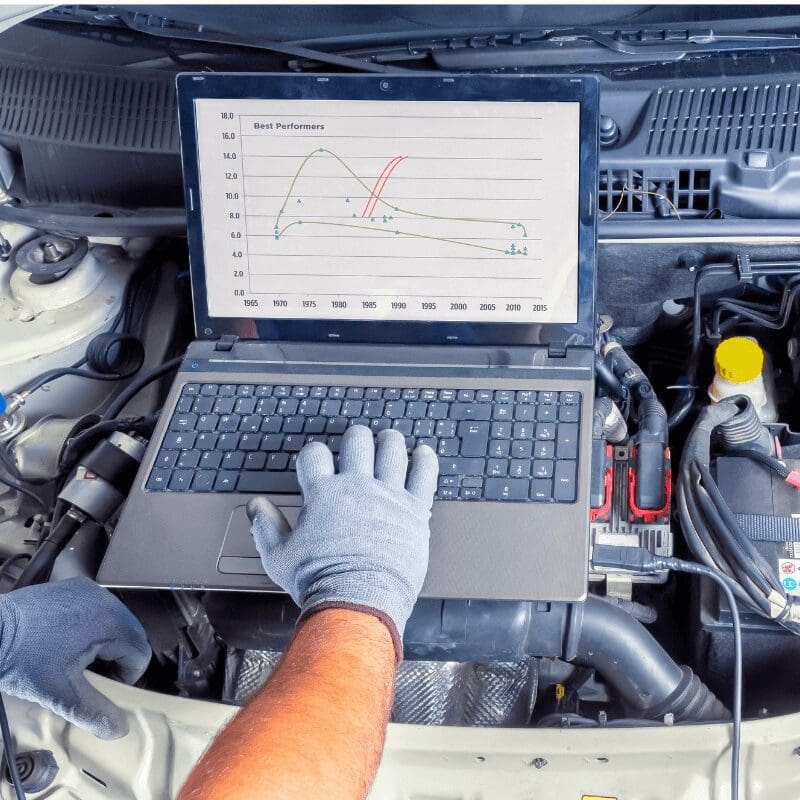
An aftermarket diagnostic scanner is usually the better first investment for independent shops because it supports the way mixed repair work actually comes in.
Most shops do not get to choose the day’s vehicle mix. The schedule chooses for them.
A strong aftermarket scanner helps shops:
- Shorten intake time with full-system scans
- Improve repair accuracy with live data and guided workflows
- Reduce unnecessary parts replacement
- Cut down on comebacks
- Keep more diagnostic work in-house
- Give more technicians a consistent process
- Support service expansion into hybrid, EV, ADAS, and advanced module work
This is where buying through Triad matters. A scanner can have strong specs and still be the wrong fit for your shop. Triad helps match Autel options to your repair mix, technician skill level, existing tools, and growth plans so you are not paying for capability your team will not use or missing functions you needed on day one.
What to Look for in an Automotive Diagnostic Scanner
1. Vehicle coverage that matches your repair mix
Start with the vehicles your shop sees every week.
Do you work mostly on domestic vehicles? A balanced domestic and Asian mix? European? Hybrids and EVs? ADAS-equipped vehicles? Multi-location MSO work?
Do not buy based on “broad coverage” alone. Ask whether the scanner supports the makes, model years, systems, and functions your technicians use most.
2. Full-system scanning and health reports
A professional scan tool should do more than pull a powertrain code. Full-system scans help technicians see the vehicle as a network of connected modules.
Health reports are useful at intake, after repair, and during customer communication. They help document what came in, what was addressed, and what still needs attention.
For shop owners, that supports fewer missed issues and better repair order documentation.
3. Bi-directional testing and component activation
Bi-directional controls help technicians command components and confirm system behavior. That is the difference between seeing a fault and testing the circuit, actuator, solenoid, fan, pump, relay, or module response.
This is one of the biggest gaps between a basic scanner and a professional automotive diagnostic device.
4. Coding, configuration, and service functions
Modern repair work often requires more than code clearing. Shops should look for supported functions such as:
- Module coding and configuration
- Service and maintenance resets
- Battery registration
- Steering angle sensor resets
- Brake service functions
- TPMS functions
- ADAS identification or calibration support where applicable
- Hybrid and EV diagnostic support
Coverage varies by tool and vehicle, so the right question is always: “Does it support the work we do most often?”
5. Speed and usability
A scanner that technicians avoid will not improve the shop.
Look for fast boot-up, quick scanning, readable reports, strong processing, intuitive navigation, and a workflow technicians can trust under time pressure. The tool should reduce the load on your lead tech, not create another reason everyone lines up at their bay.
6. Updates, support, and training
Software updates matter because vehicle coverage changes. Support matters because the weird jobs do not wait until everyone has time to research.
Triad adds value here by helping shops with tool selection, onboarding, software updates, workflow setup, and live support. That matters most after the sale, when the tool has to perform in the bay, not on a product page.
Autel Scanner Options for Auto Shops
Triad’s automotive diagnostic lineup is built around Autel platforms, which fit different shop needs.
| Tool | Best Fit | Why It Makes Sense |
|---|---|---|
| Autel MaxiSYS Ultra S2 | High-volume, high-demand shops | Built for speed, advanced diagnostics, topology mapping, and complex repair workflows |
| Autel MaxiSYS MS909S2 | General repair shops needing strong all-around coverage | Good balance of performance, coverage, and daily diagnostic capability |
| Autel MaxiSYS MS909 | Shops upgrading from entry-level tools | Reliable OE-level diagnostics with a user-friendly workflow |
| MS906MAX + ADAS software | Shops building toward ADAS-related diagnostic and calibration work | Adds ADAS software support, pre and post scans, and compatibility with supported Autel ADAS frames |
The right Autel scanner depends on the shop’s volume, service mix, technician skill level, and growth plan.
A busy shop handling complex diagnostics should not buy like a low-volume shop doing basic scans. A shop planning to add ADAS work should think beyond today’s code reader. A shop with newer technicians should care about training and support as much as screen size.
How to Choose the Right Scanner for Your Shop
Step 1: List the jobs slowing you down
Write down the work that creates delays:
- No-start diagnostics
- Module communication faults
- Electrical issues
- ADAS-related scans
- Hybrid or EV diagnostics
- Programming or coding jobs
- Repeat comebacks
- Jobs sent to the dealer
This tells you what the tool needs to solve.
Step 2: Audit your current tool stack
Look at what you already have:
- Which tools are used daily?
- Which tools are expired?
- Which tools only one technician understands?
- Which jobs still get sublet?
- Which software renewals are hard to track?
If the current setup depends on one person remembering five logins, that is not a process. That is a lucky week waiting to end.
Step 3: Match the scanner to the shop, not the catalog
A high-end scanner can be the right call for one shop and overkill for another. A mid-range scanner can be perfect until the shop starts taking on ADAS, EV, or module-heavy work.
The right choice should match:
- Vehicle mix
- Repair volume
- Technician experience
- Current bottlenecks
- Future services
- Support expectations
- Budget and ROI timeline
Step 4: Plan the rollout
Buying the scanner is only part of the job. Decide who owns updates, who trains technicians, how reports are stored, and when the shop escalates to support.
Triad can help shops set up the scanner around daily workflow so the tool gets used correctly from the start. That is where the investment starts turning into faster diagnostics, fewer stalls, and more work staying in-house.
Recommended Scanner Direction by Shop Type
| Shop Type | Best Direction | Why |
|---|---|---|
| Small general repair shop | MS906MAX or MS909S2 | Good daily coverage without overcomplicating the setup |
| Busy independent shop | MS909S2 or Ultra S2 | Better fit for higher volume, faster scanning, and tougher diagnostics |
| Mechanical Service Organization or multi-location operation | Standardized Autel platform across stores | Easier training, reporting, support, and process control |
| ADAS-focused shop | MS906MAX ADAS software plus compatible ADAS equipment | Supports scan, identify, calibrate, and document workflows |
| European or specialty-heavy shop | Aftermarket scanner plus targeted OEM access | Broad daily coverage with OEM tools for special cases |
| Shop doing programming and module work | Advanced scanner plus remote programming support | Helps reduce dealer dependency while keeping support close |
Common Scanner Buying Mistakes
Buying the cheapest scanner that reads codes
A cheap scanner can be fine for quick checks. It becomes expensive when it misses systems, lacks tests, or pushes the job back to the dealer.
Buying more tool than the shop will use
A high-end platform only pays off if the team uses the capability. Training and workflow setup matter.
Ignoring software renewals
Expired software slowly turns a good scanner into an outdated one. Assign ownership before the renewal date becomes a surprise.
Forgetting technician adoption
Technicians do not trust tools because marketing says they should. They trust tools that work, explain enough, move fast, and have backup when the job gets sideways.
FAQ: Automotive Diagnostic Scanners
Scanner software should stay current through active updates and renewals. Updated software helps maintain coverage for newer vehicles, systems, service functions, and diagnostic procedures. Shops should assign someone to manage renewals so diagnostic capability does not fade quietly.
Many professional aftermarket scanners can perform OE-level diagnostics on supported vehicles, including full-system scans, live data, service resets, coding, configuration, and bi-directional controls. Coverage varies by make, model, system, and function, so shops should confirm tool capability before buying.
OEM diagnostic scanners are built for one manufacturer and are useful for brand-specific procedures, programming, security access, and warranty workflows. Aftermarket diagnostic scanners are built for multi-brand coverage, making them more practical for shops that service domestic, Asian, European, hybrid, EV, and ADAS-equipped vehicles.
The best automotive diagnostic scanner is the one that matches the shop’s vehicle mix, repair volume, technician skill level, and service goals. For independent shops, aftermarket scanners like Autel platforms are often the best daily choice because they support broad coverage, full-system scans, live data, service functions, and bi-directional testing.
Build the Scanner Setup Around the Work You Want to Keep
A good scanner should help your shop say yes to more of the right work.
If the goal is faster intake, fewer comebacks, and better daily diagnostics, start with an Autel platform that fits your current vehicle mix. If the goal is ADAS, EV, module work, or multi-location consistency, look at the scanner as part of a larger setup: software, training, updates, support, and workflow.
Already know what you need? Shop Triad’s Autel automotive diagnostic tools and compare the scanners that fit your bay.
Still deciding between OEM, aftermarket, or a mixed setup? Talk to Triad before buying. Bring the jobs you are sending out, the vehicles that slow your techs down, and the tools you already own. The right scanner should solve the bottleneck, not become the next one.